
Best MySQL GUI Clients for 2026: Why Pluk's Notebook Agent Stands Out
Best MySQL GUI Clients for 2026
If you are choosing a MySQL GUI in 2026, the basics still matter: query editing, browsing data, inspecting schema, editing rows, and fast connections. Those are table stakes, and the best tools on this list all handle them well.
The difference now is what happens after the query. Some tools stop at SQL. Others help you move from a question to useful analysis. TablePlus is a modern native tool with an LLM plugin that may access table structure but not actual data rows. Beekeeper Studio's AI Shell can explore schema, relations, constraints, and run SQL with permission. Pluk is a native MySQL client for Mac that covers the daily-driver fundamentals — browsing tables, inspecting schema, editing rows, running queries — and then pushes further with Notebook Agent and a local workflow built to turn questions into analysis.
Quick comparison
| Tool | Best for | Platforms | Best known for |
|---|---|---|---|
| Pluk | Native MySQL client with built-in AI analysis | macOS | Fast native UX, browse and edit data, Notebook Agent |
| TablePlus | Traditional native MySQL client | macOS, Windows, Linux, iOS | Speed, polish, editing |
| Beekeeper Studio | Cross-platform SQL workflow | macOS, Windows, Linux | Clean interface, AI Shell |
| MySQL Workbench | Official MySQL admin and modeling | macOS, Windows, Linux | ER models, reverse engineering |
| DBeaver Community | Multi-database environments | macOS, Windows, Linux | Broad compatibility |
| Sequel Ace | Classic Mac MySQL workflow | macOS | Lightweight MySQL/MariaDB client |
| phpMyAdmin | Browser-based MySQL admin | Web | Familiar web access |
What to look for in a MySQL GUI
The basics still matter:
- query editor quality
- table browsing and editing
- schema inspection
- SSH and SSL support
- export and import tools
- speed
But modern MySQL workflows also raise a new question: can the tool help you move from "I need to understand this" to something actionable without bouncing between SQL editor, ChatGPT, spreadsheet, and charting tool?
Choose Pluk if you want:
- a native Mac MySQL client that feels fast
- browse tables, inspect schema, edit rows, and run queries in one app
- AI help that turns questions into draft analysis
- a faster path from query to something you can share
1. Pluk: Best native MySQL client for AI-assisted analysis on Mac
Pluk is a native MySQL client for Mac. It lets you browse tables, inspect schema, run queries, edit rows, and manage connections with SSH and SSL support — the daily-driver fundamentals. What makes it different is Notebook Agent: describe what you need, and it explores your database and builds a working draft around that question. Querying, AI help, and reporting stay in one local workflow.
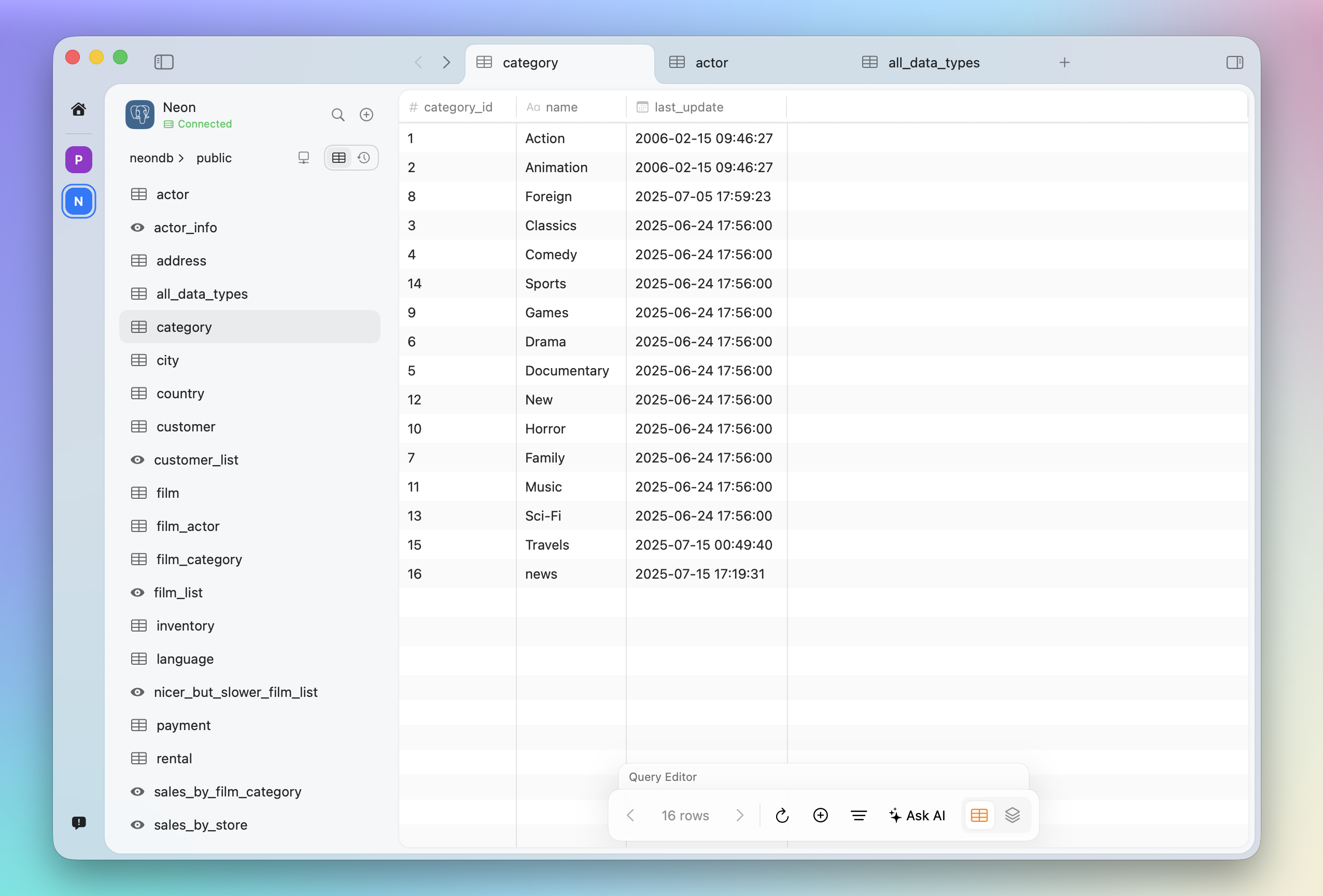
That matters because most real MySQL questions are not just "show me rows." They are things like "why did this metric drop," "what changed week over week," or "can you turn this into something I can share?" Those are analysis tasks, not just query-generation tasks.
Why Pluk stands out for MySQL
- Native Mac app — fast, local-first, no Electron.
- Browse tables, edit records, run queries — the core client jobs.
- Notebook Agent turns a question into a working analysis draft.
- One app for querying, AI help, and reporting — less context switching.
2. TablePlus: Best traditional native MySQL client
TablePlus is still one of the best traditional MySQL GUIs if what you want is speed, polish, and a native daily driver. It describes itself as a modern native tool for database management, with inline editing and thoughtful UI, and supports multiple operating systems. Its LLM plugin can use table structure, but not actual data rows.
TablePlus is a great native MySQL client. Pluk matches that native baseline and pushes further with Notebook Agent and a workflow aimed at analysis, not just database interaction.
3. Beekeeper Studio: Best cross-platform MySQL workflow
Beekeeper Studio is a strong option for MySQL users who want a clean interface and a modern SQL workflow across macOS, Windows, and Linux. Its AI Shell is designed to work inside the app, with deep SQL awareness and the ability to explore schema, understand relations and constraints, and write and execute SQL with permission.
That makes Beekeeper one of the clearest alternatives to Pluk, especially for teams that need cross-platform support. The difference is that Pluk's Notebook Agent is easier to position around end-to-end analysis instead of a chat-driven SQL workflow.
4. MySQL Workbench: Best for MySQL administration and ER modeling
MySQL Workbench remains the obvious choice if your needs are deeply MySQL-specific. Oracle positions it around visual design, modeling, forward and reverse engineering, change management, and documentation. It is the classic choice for DBAs and developers who want official tooling.
If your day-to-day is schema design, database comparison, and administration, Workbench still matters. If your day-to-day is faster exploration and analysis, Pluk is the more interesting tool.
5. DBeaver Community: Best if MySQL is just one of several databases
DBeaver Community is free, open source, and supports MySQL, PostgreSQL, SQLite, and more. It is a practical choice if your team works across many systems and wants one universal tool.
For mixed environments, DBeaver is hard to ignore. For a more focused native experience and a stronger AI-native workflow, Pluk has the edge in vision.
6. Sequel Ace: Best lightweight MySQL client for Mac
Sequel Ace is a MySQL and MariaDB database management app for macOS. It supports mysql:// URLs, multiple connection types, and stores passwords in Keychain. It is one of the cleanest choices if you want a classic Mac MySQL tool without extra layers.
Sequel Ace is excellent if you want a straightforward Mac MySQL GUI. Pluk is also a native Mac client, but adds Notebook Agent and a workflow that goes from query to analysis in one place.
7. phpMyAdmin: Best web-based option
phpMyAdmin is still relevant because browser-based administration remains useful. The project describes itself as a free PHP tool for administering MySQL and MariaDB over the web, supporting operations across databases, tables, columns, relations, indexes, users, and SQL execution.
If your priority is web access, phpMyAdmin is still the classic choice. If you want a native desktop MySQL client with AI-assisted analysis, Pluk is the stronger direction.
Which MySQL GUI should you choose?
Choose Pluk if you want a native Mac MySQL client that also helps you go from query to analysis in one app. Choose TablePlus if you want one of the best traditional native MySQL clients. Choose Beekeeper Studio if you want a clean cross-platform SQL app with AI exploration. Choose MySQL Workbench if you need deep MySQL administration and modeling. Choose DBeaver if you work across multiple database engines. Choose Sequel Ace if you want a lightweight Mac-only MySQL client. Choose phpMyAdmin if browser-based access is the priority.
Final take
Every tool on this list can connect to MySQL, browse tables, and run queries. The baseline is strong across the board.
Where Pluk differs is what happens next. A lot of tools can generate a query. Far fewer help you turn that query into something you can understand, iterate on, and share. Pluk starts from the same native client baseline and pushes further with Notebook Agent and a workflow built to turn MySQL questions into analysis.
Download Pluk for macOS and see how it handles your daily MySQL work — then try Notebook Agent on a real question.