
Best Database Clients for 2026: Why Pluk Stands Out
Best Database Clients for 2026
A good database client still needs to do the basics well: connect quickly, browse schema, run queries, edit data safely, and stay out of your way. Those things matter as much in 2026 as they did five years ago.
What has changed is what happens after you connect. Modern tools now compete on speed, interface quality, AI assistance, and how quickly they help you move from a question to a useful answer. Pluk is a native Mac database client that covers the fundamentals — browsing schema, scanning rows, editing records, running queries — and then pushes further with Notebook Agent and a local workflow built to turn questions into analysis. TablePlus is a modern native database tool and documents an LLM plugin that may share table structure, but not actual data rows. Beekeeper Studio's AI Shell can explore schema, relations, and constraints and execute SQL with permission.
Quick comparison
| Tool | Best for | Platforms | Why people choose it |
|---|---|---|---|
| Pluk | Native Mac database client with built-in AI analysis | macOS | Browse and edit data, run queries, Notebook Agent |
| TablePlus | Traditional native database client | macOS, Windows, Linux, iOS | Fast, polished, trusted daily driver |
| Beekeeper Studio | Cross-platform SQL workflow | macOS, Windows, Linux | Clean interface, strong SQL ergonomics, AI Shell |
| DBeaver Community | Universal database coverage | macOS, Windows, Linux | Free, open source, broad engine support |
| MySQL Workbench | MySQL administration and modeling | macOS, Windows, Linux | Official MySQL tooling, visual design |
| Postico 2 | PostgreSQL on Mac | macOS | Native Postgres-focused UX |
What makes a database client worth using now?
A great database client still needs to do the fundamentals well:
- connect quickly
- let you browse schema without friction
- make SQL editing pleasant
- help you inspect and edit data safely
- stay out of your way
But there is a new layer now. AI is becoming normal. Native UX is increasingly expected. The real difference is how well the tool understands your schema, how much context it can hold, and whether it helps you move from query to analysis instead of just query to results.
Choose Pluk if you want:
- a native Mac database client that feels fast
- browse schema, edit records, and run queries in one app
- AI help that turns questions into draft analysis
- a faster path from query to something you can share
1. Pluk: Best native Mac database client with built-in AI analysis
Pluk is a native database client for Mac. It connects to PostgreSQL, MySQL, and other major engines, lets you browse schema, scan rows, edit records, and run queries — the daily-driver fundamentals. What makes it different is Notebook Agent: describe what you need, and it explores your database and builds a working draft around that question. Querying, AI help, and reporting stay in one local workflow.
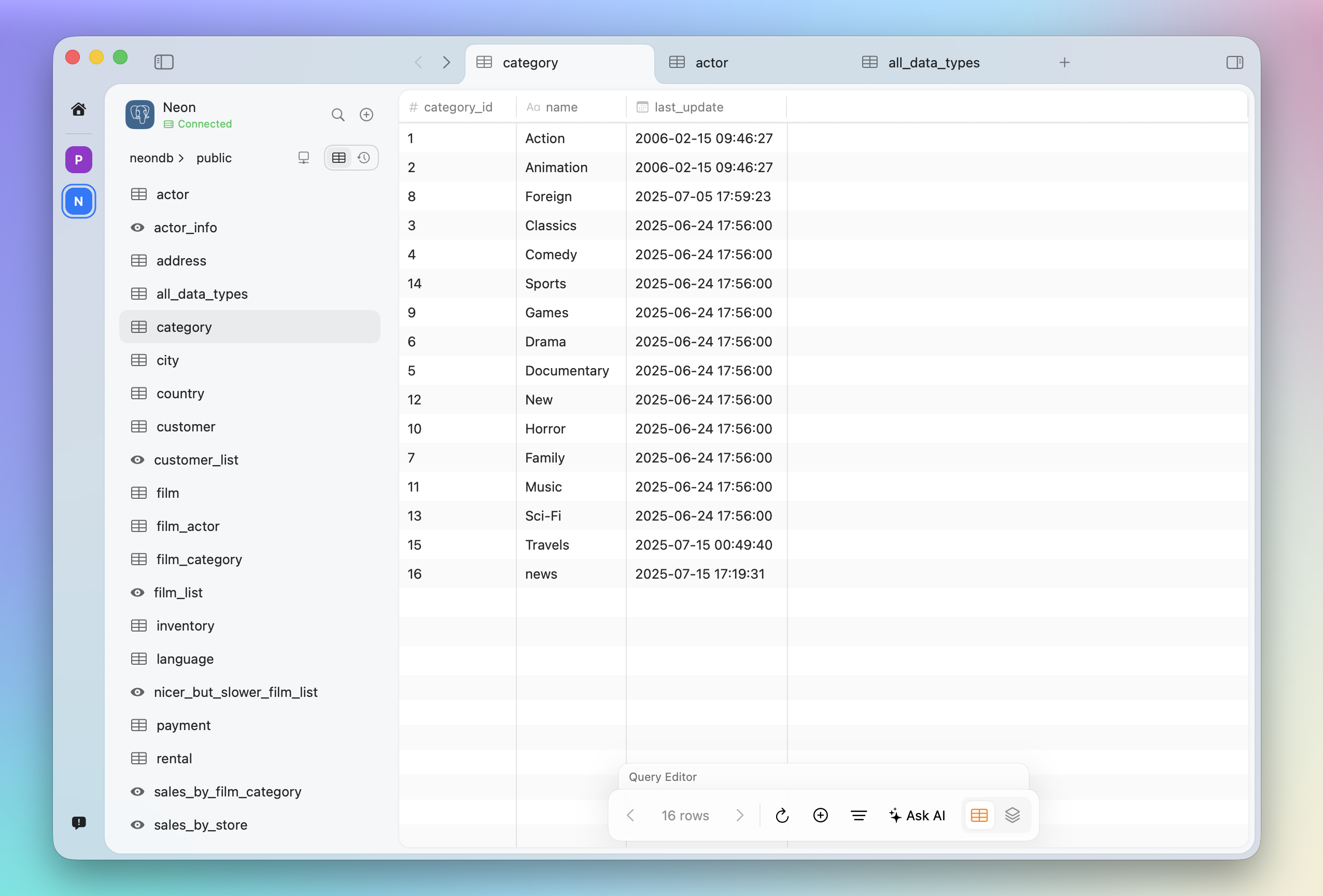
That matters because most real questions are not just "show me rows." They are things like:
- why did a metric drop?
- what changed week over week?
- which customers are driving the issue?
- can you turn this into something I can share?
Those are analysis tasks, not just query-generation tasks. Pluk's story is strongest when it focuses on that.
2. TablePlus: Best traditional native database client
TablePlus is one of the strongest traditional database clients on the market. It describes itself as a modern native tool for database management, with native build, thoughtful UI, inline editing, and support across macOS, Windows, Linux, and iOS. Its documentation also makes clear that its LLM plugin is "just a chat client" that may use table structure, but not actual data rows.
That is exactly why the comparison with Pluk should be respectful and sharp. TablePlus already clears the native bar. The Pluk argument is not "we are native too." It is "we match that native baseline, then push further with Notebook Agent and a workflow aimed at analysis, not just database interaction."
3. Beekeeper Studio: Best cross-platform client for SQL-first teams
Beekeeper Studio is one of the clearest examples of where the market is going. Its AI Shell has deep SQL awareness, can explore schema, understand relations and constraints, inspect saved queries and open tabs, and write and execute SQL with permission. It communicates directly with the user's chosen AI provider, not through Beekeeper as an intermediary.
That means Beekeeper is a serious comparison point. You cannot win by pretending other tools do not have AI anymore. The stronger Pluk story is that Notebook Agent aims at a broader workflow: not just talking to the database, but turning a question into a draft analysis flow.
4. DBeaver Community: Best if you work across many databases
DBeaver Community is a free, open-source universal database tool. It supports MySQL, PostgreSQL, SQLite, and more, and positions itself around broad compatibility, powerful editing, schema tools, and multiplatform support.
If you need one tool for many engines, DBeaver remains one of the most practical options. If you care more about a focused native experience and AI-native workflow, Pluk has the more interesting product direction.
5. MySQL Workbench: Best for official MySQL tooling
MySQL Workbench is still a strong choice when your work is centered on MySQL administration, schema design, forward and reverse engineering, and database documentation. Oracle positions it as a tool for visually designing, modeling, generating, and managing MySQL databases.
It solves a different problem from Pluk. Workbench is about deeper MySQL management. Pluk is about making data work faster and more exploratory.
6. Postico 2: Best PostgreSQL client for Mac users
Postico 2 calls itself "the native Mac app for PostgreSQL" and is focused on people who use databases every day. It supports PostgreSQL and compatible systems and emphasizes native Mac usability.
If your world is deeply PostgreSQL and you want a Mac-native client with tight focus, Postico is a great fit. If you want a native Mac database client that supports multiple engines and adds AI-assisted analysis on top, Pluk covers more ground.
Which database client should you choose?
Choose Pluk if you want a native Mac database client that also helps you go from query to shareable analysis in one app. Choose TablePlus if you want one of the best traditional native database clients available. Choose Beekeeper Studio if you want a strong cross-platform SQL tool with AI exploration. Choose DBeaver if you need one tool for many engines. Choose MySQL Workbench if your world revolves around MySQL admin and modeling. Choose Postico 2 if you want a native PostgreSQL client for Mac.
Final take
Every tool on this list can connect to a database, browse schema, and run queries. The baseline is strong across the board.
Where Pluk differs is what happens next. A lot of tools can generate a query. Far fewer help you turn that query into something you can understand, iterate on, and share. If TablePlus represents the best of the traditional native database client, Pluk starts from that same native baseline and pushes further with Notebook Agent and a workflow built to turn questions into analysis.
Download Pluk for macOS and see how it handles your daily database work — then try Notebook Agent on a real question.